Your main account goes live. The bot talks in chat.
PigBot is a Windows app for Rumble live chat. You stream on your main account. A separate bot account posts the messages. Run PigBot.exe — buyers do not need to install Python.
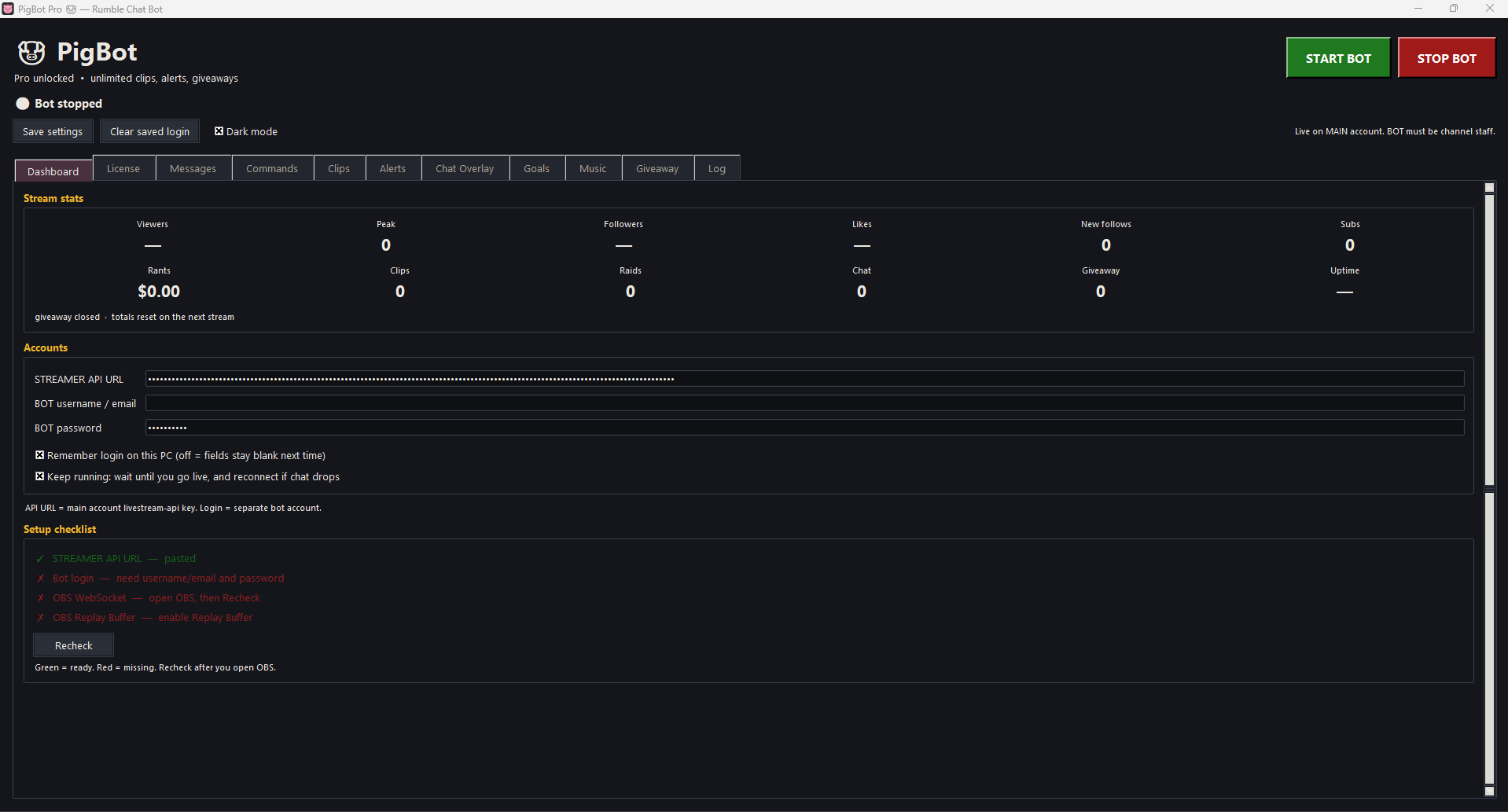
Viewers, followers, likes, follows, subs, rants, clips, raids, chat count, and uptime — in the dark-theme window while you are live.
Named clip files
A saved clip is an MP4 named after who clipped. Chat can say ClipThat or !clip. You can also say ClipThat out loud on the mic.
OBS browser sources
Chat, emotes, goals, and now playing are browser sources you add in OBS. They sit on the stream; PigBot does not draw them inside the video file itself.
Look inside
The window
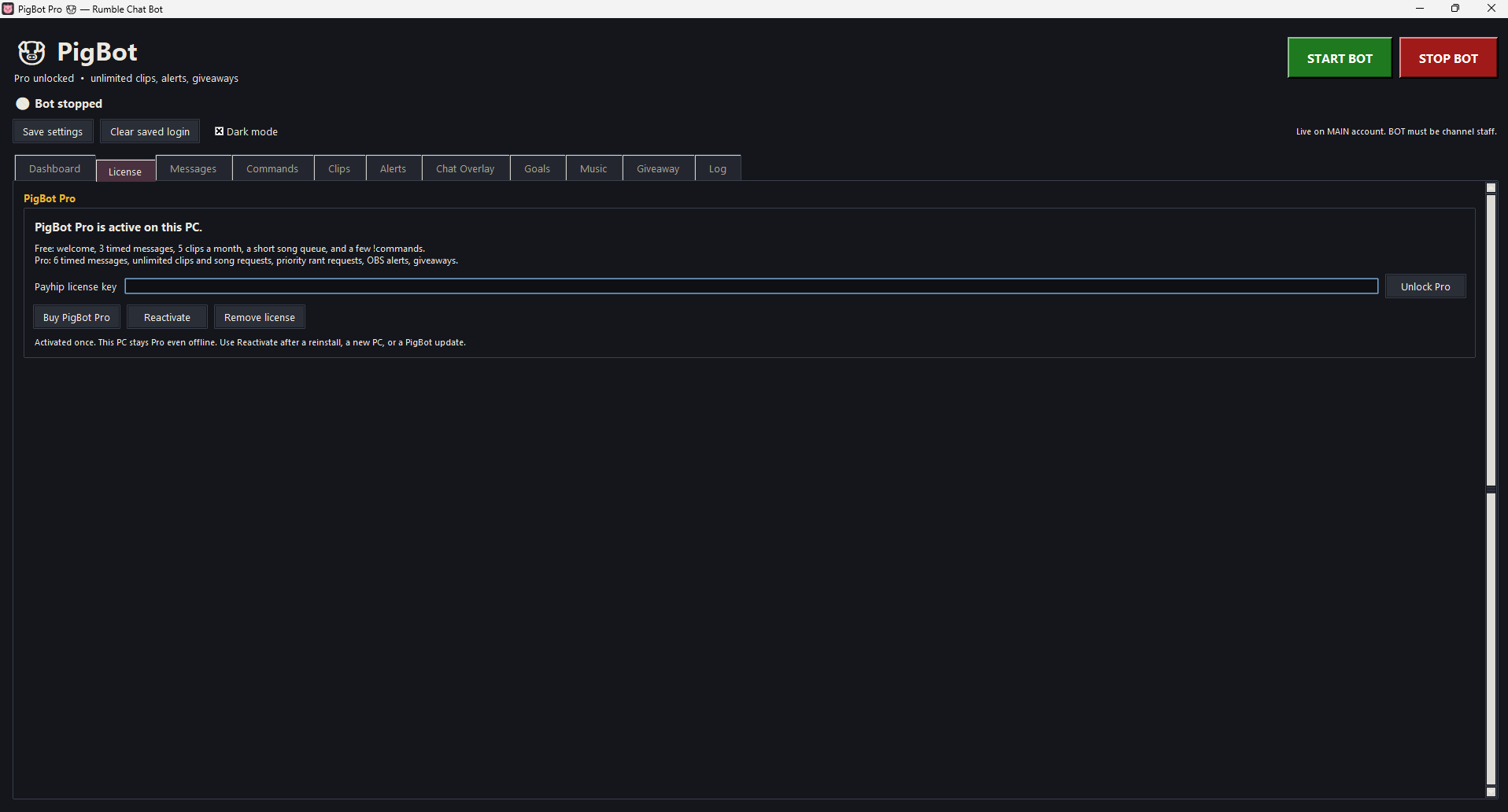
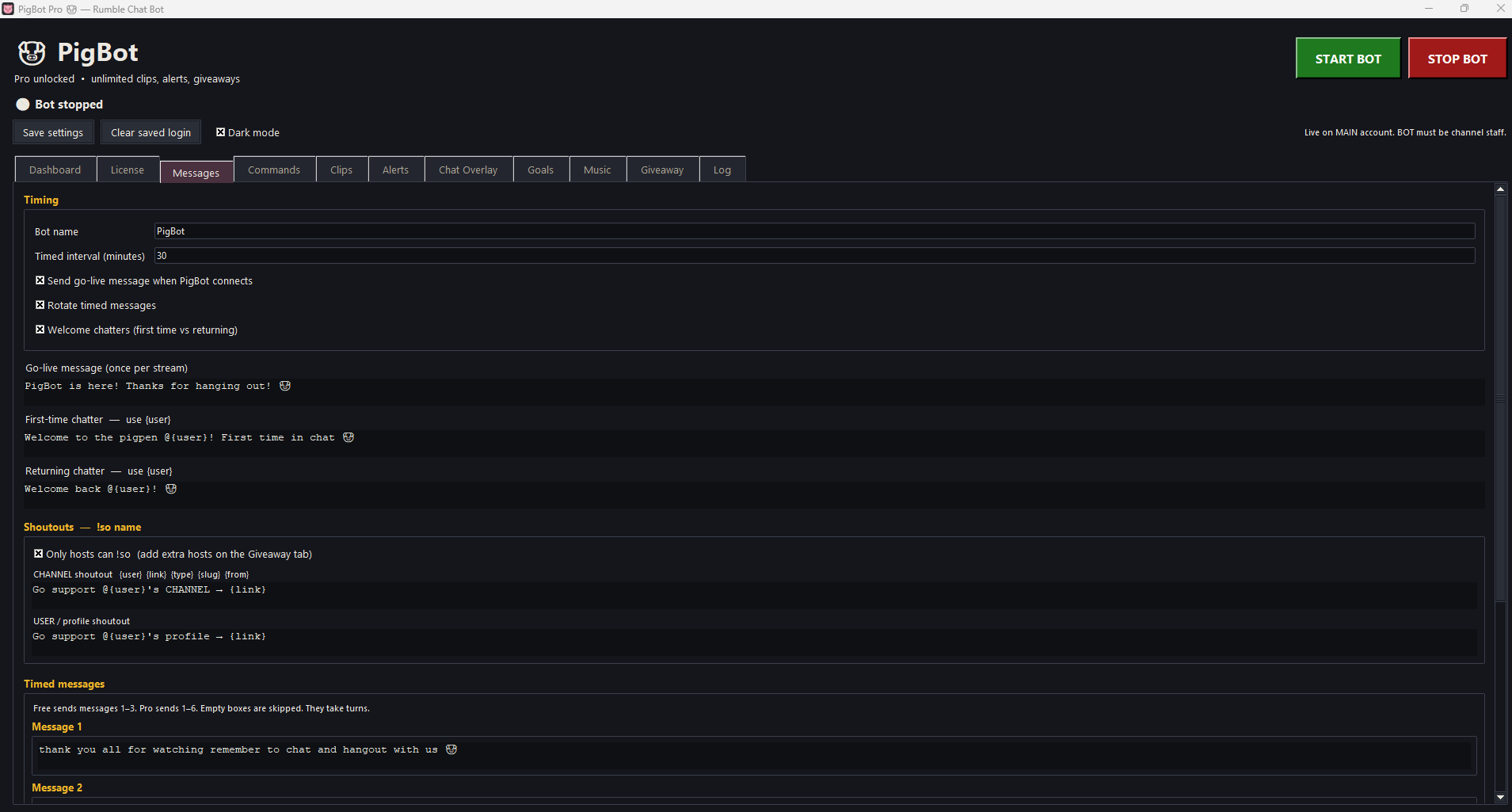
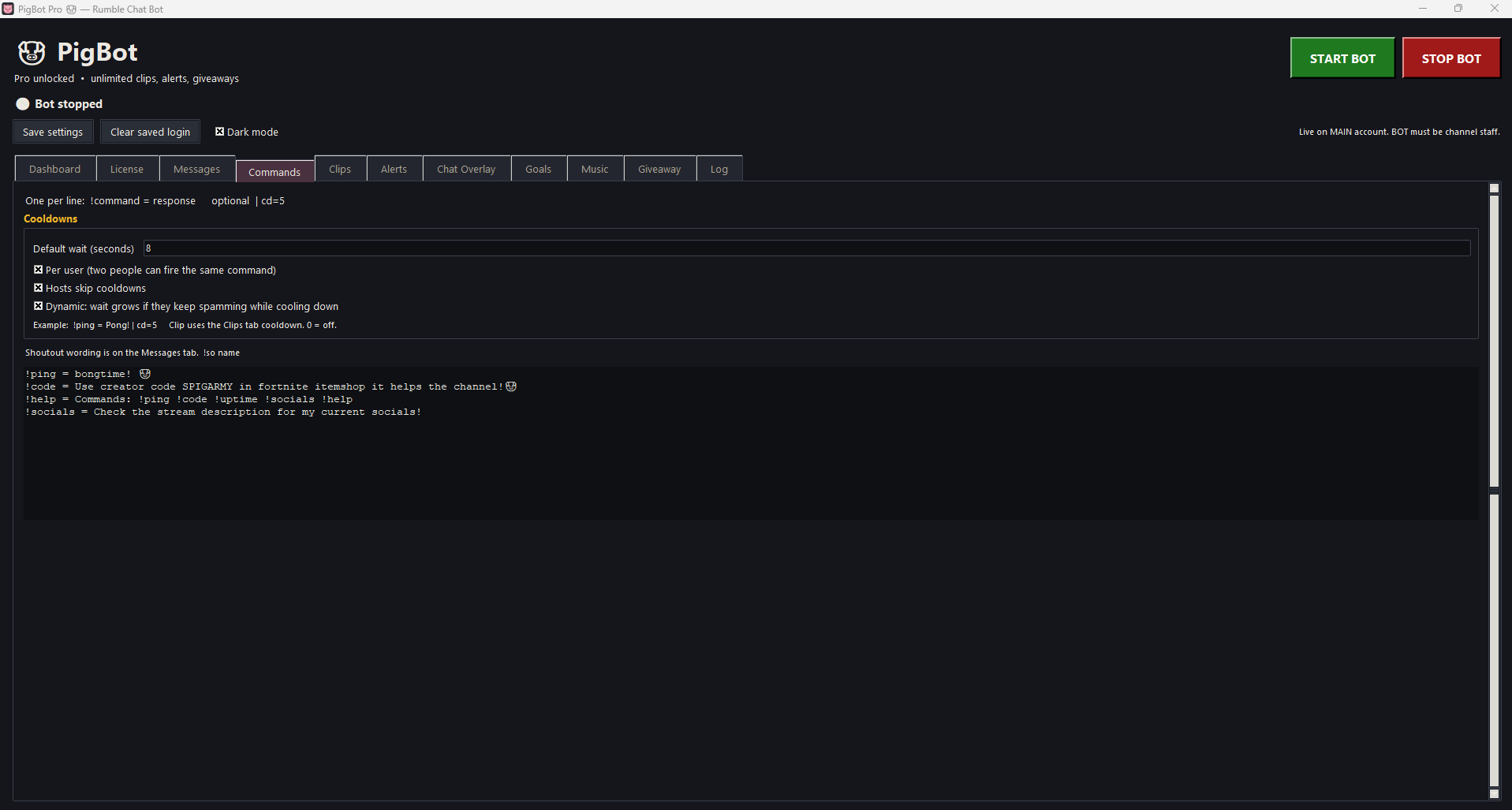
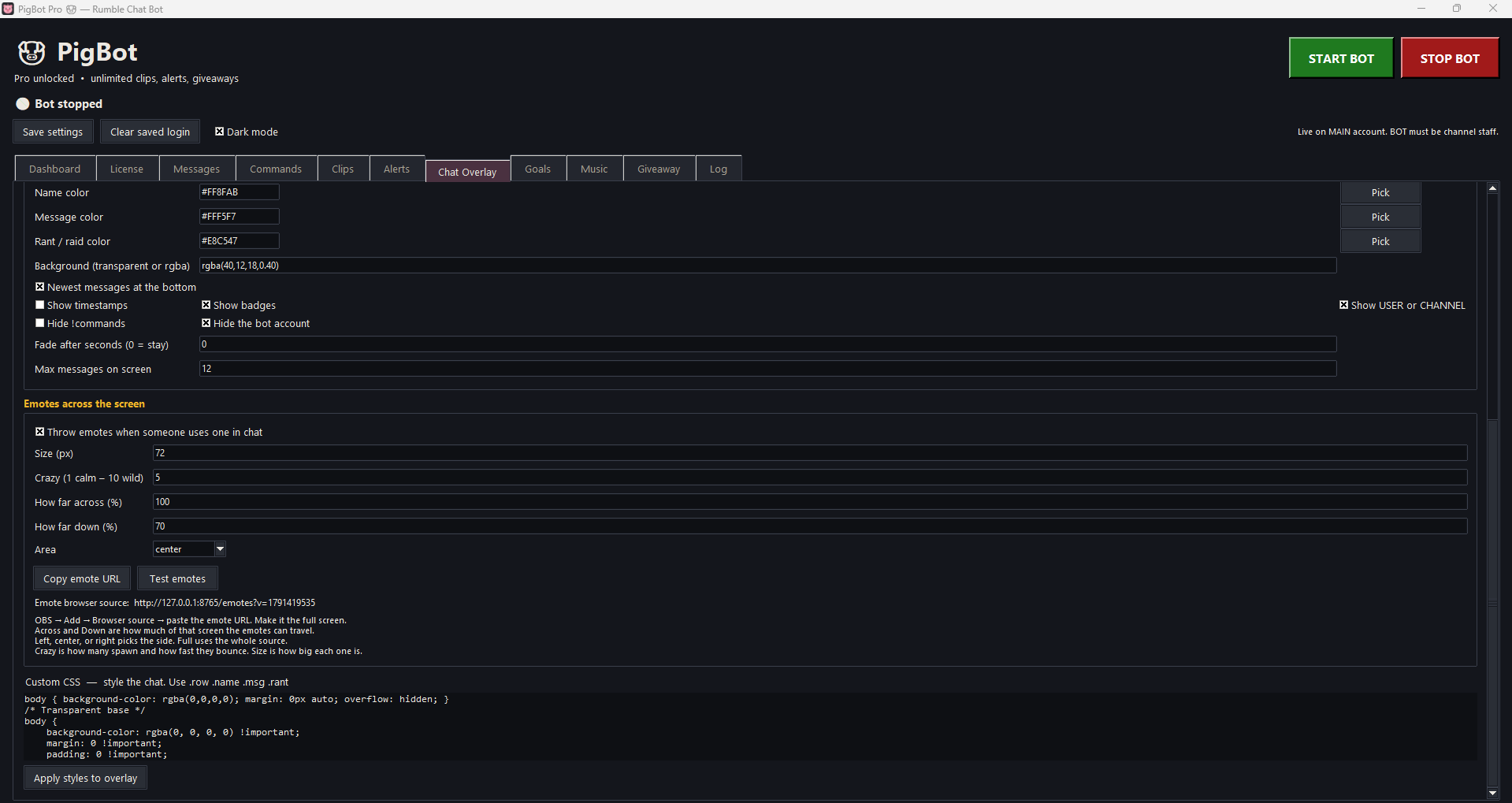
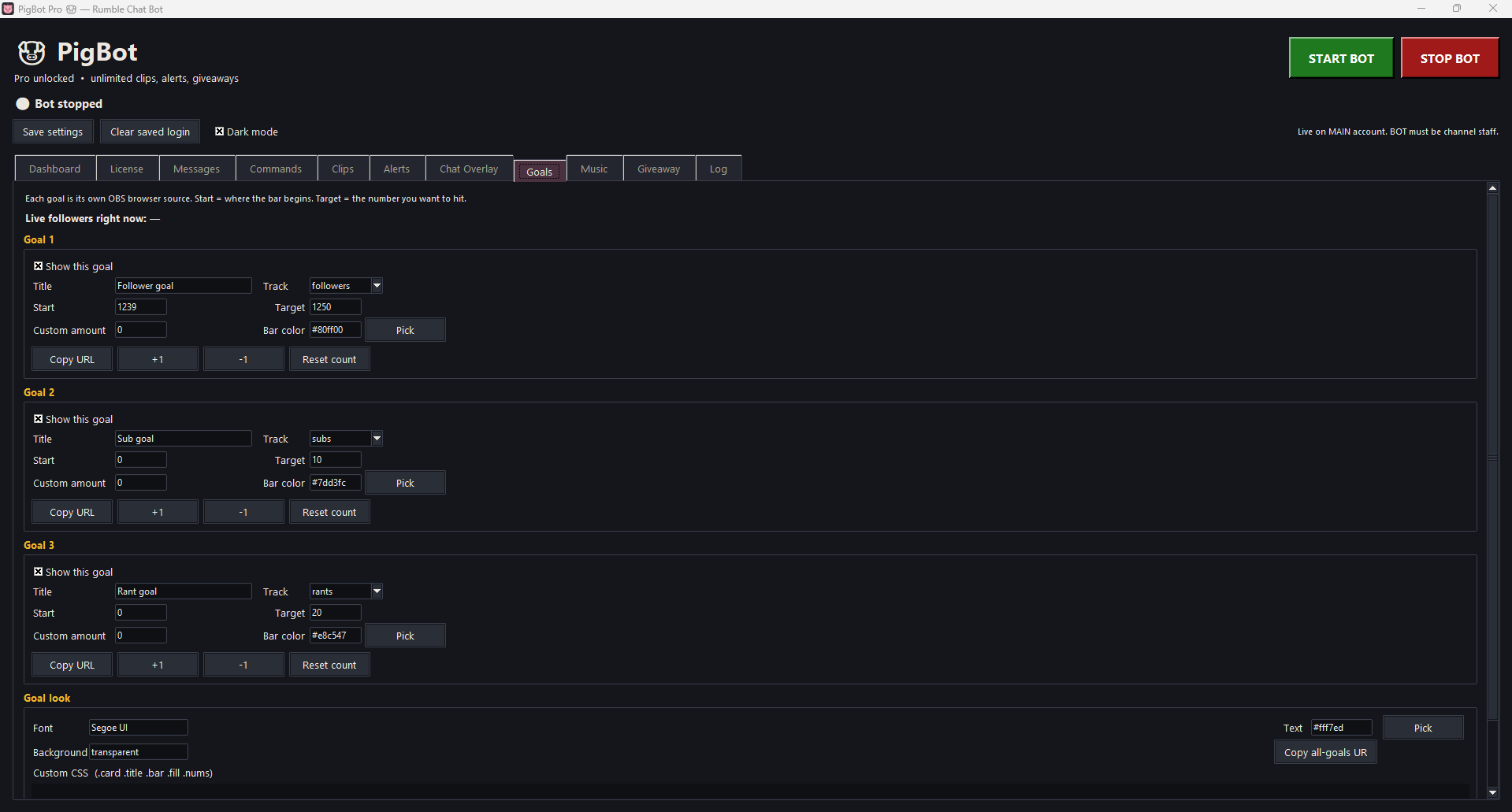
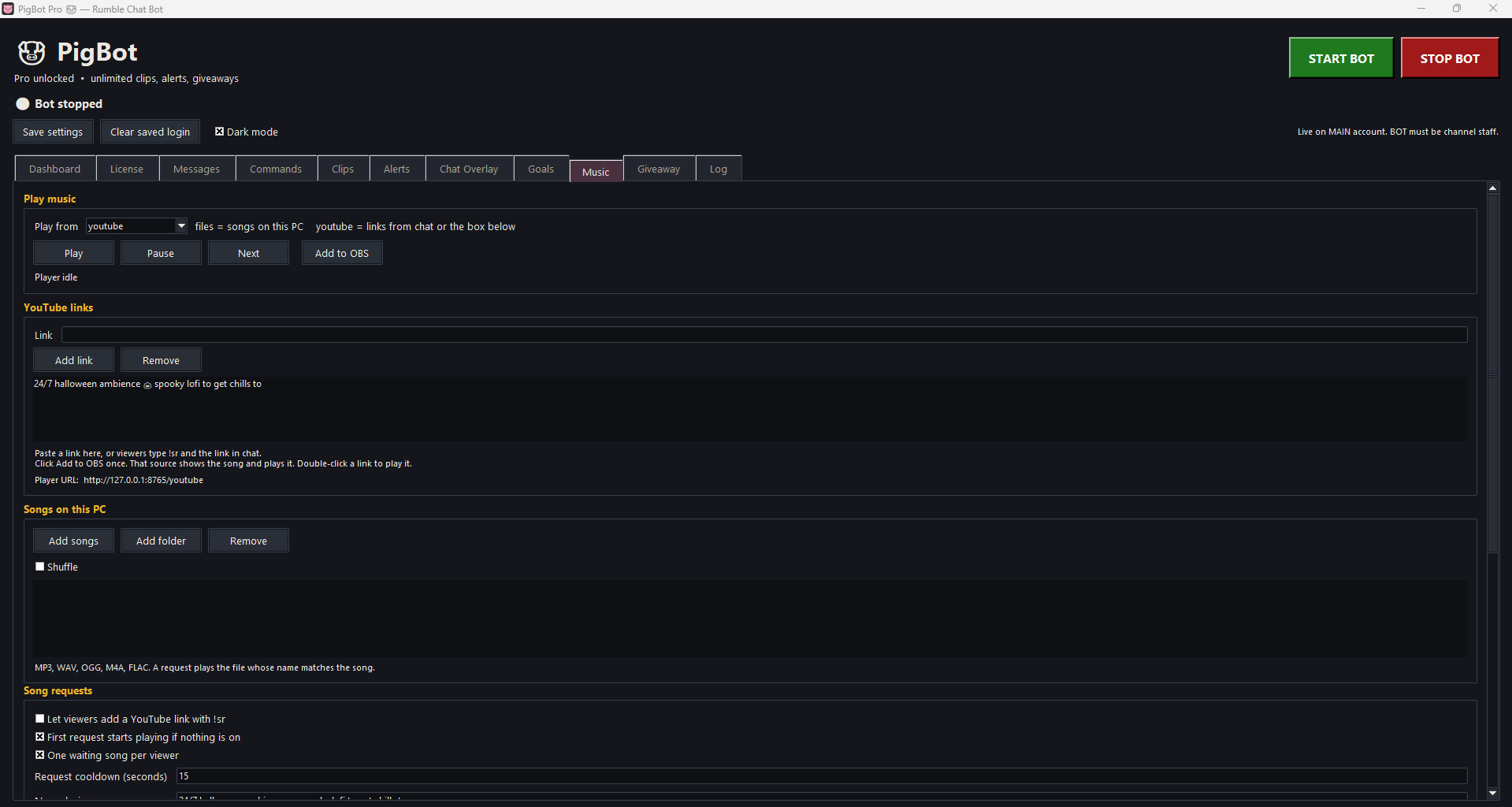
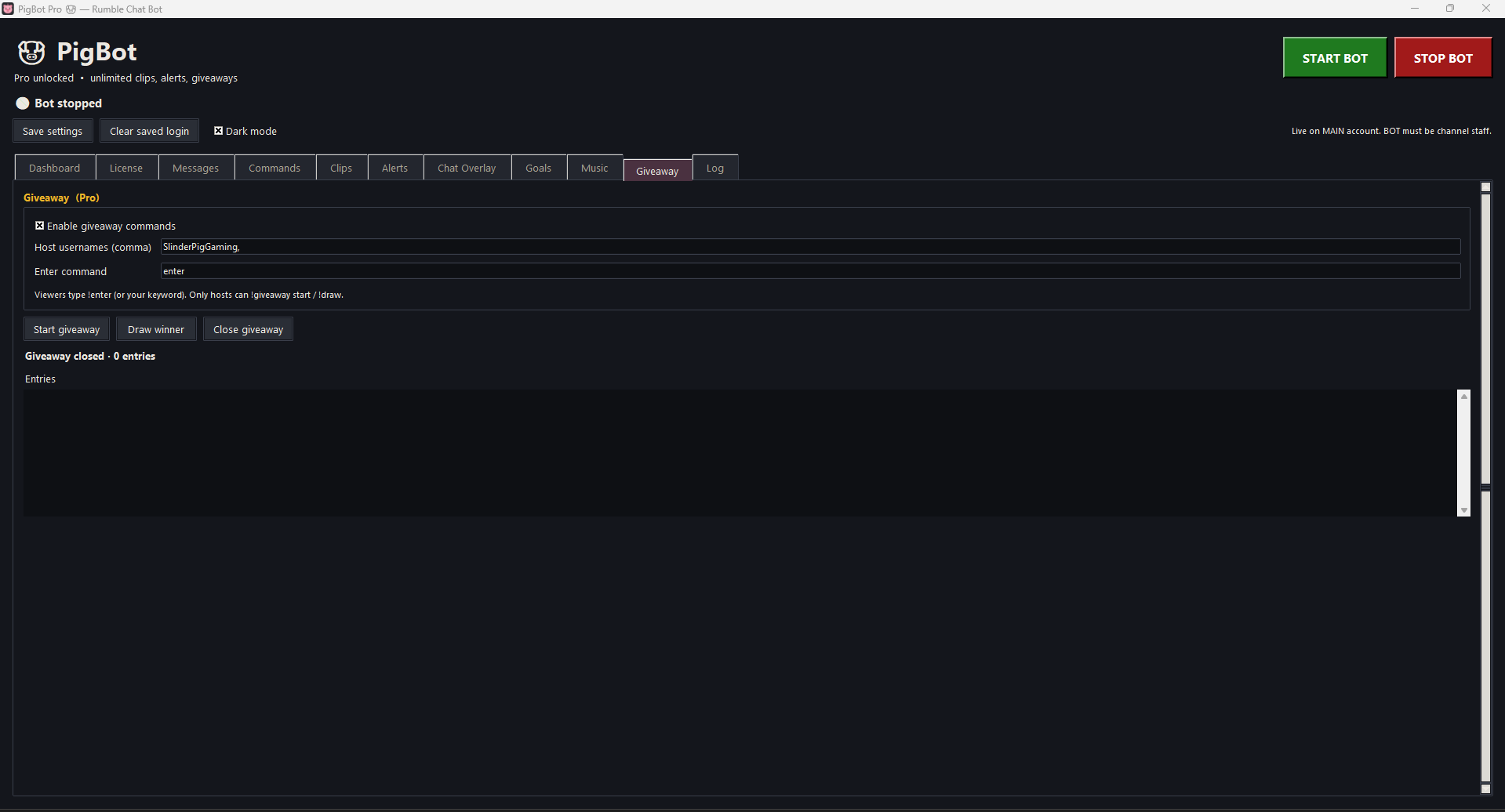
Dashboard, license, messages, commands, clips, alerts, overlays, goals, music, and giveaways — all in the same dark window.
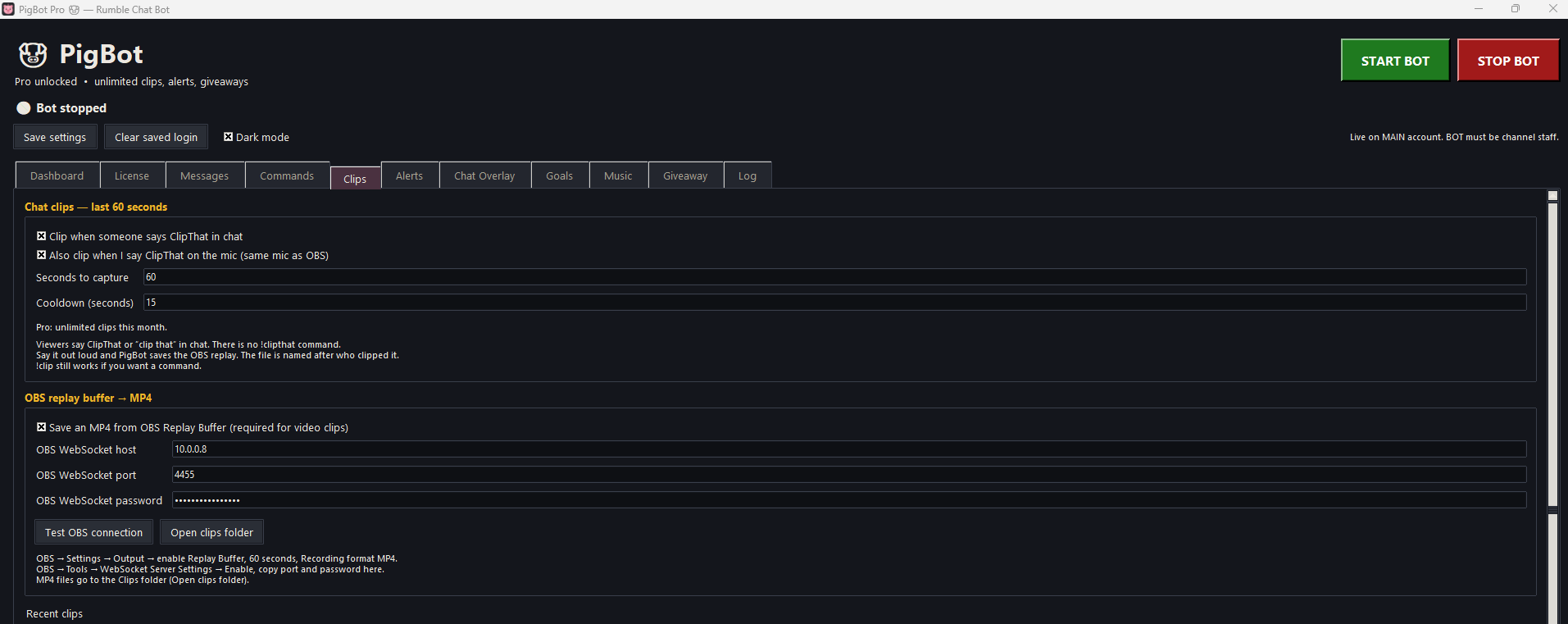
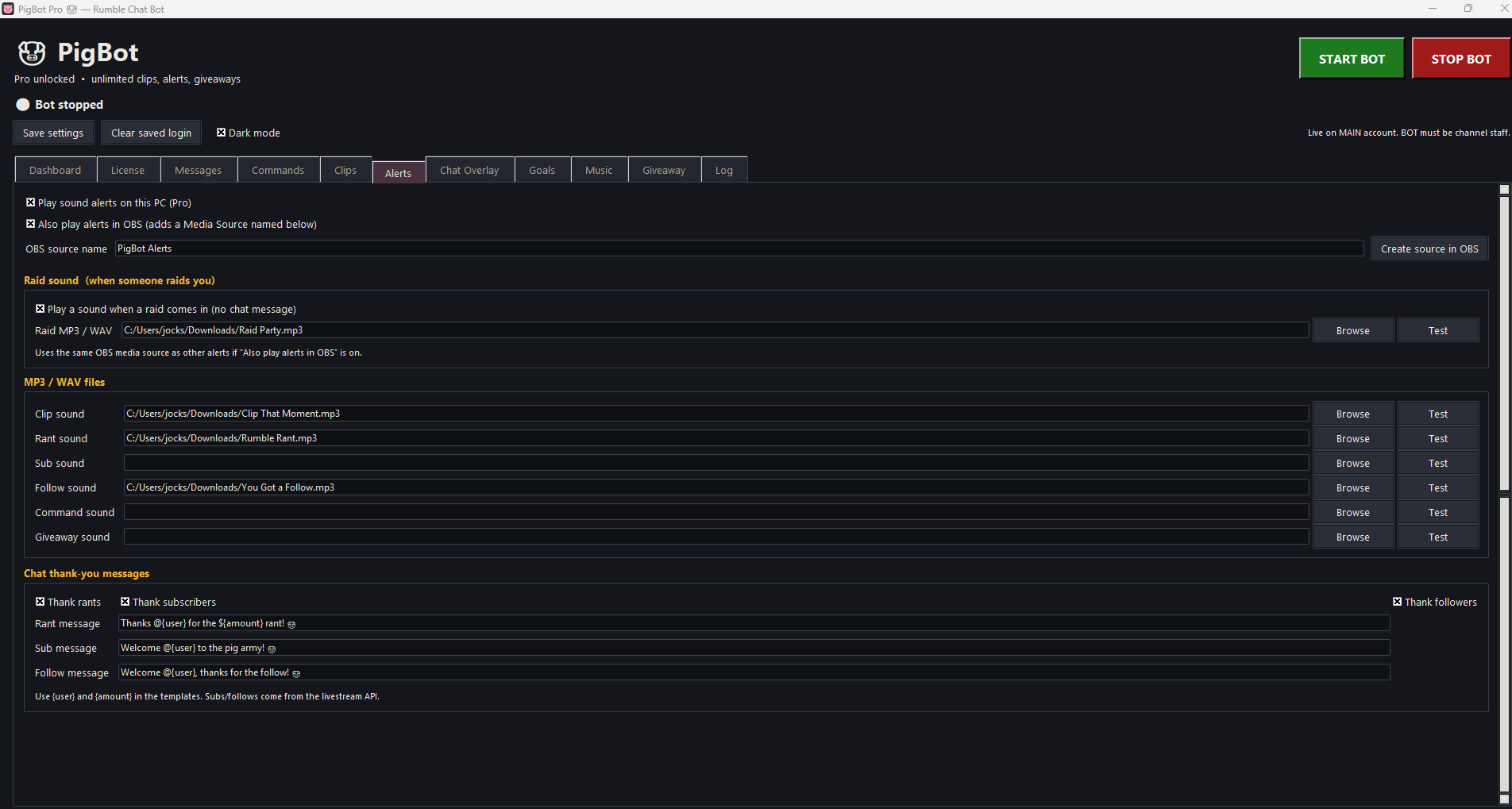
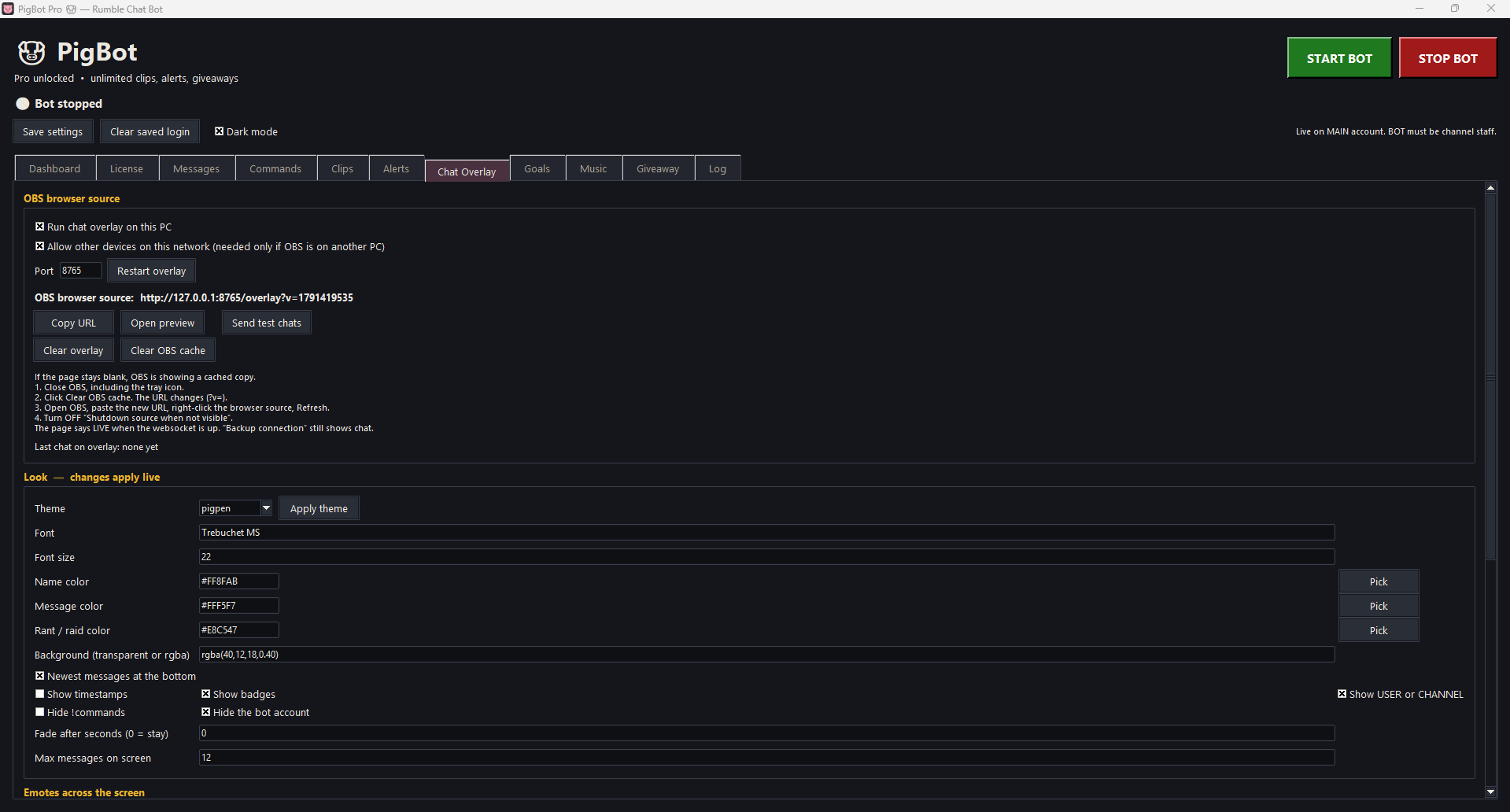
Dashboard — viewers, followers, likes, follows, subs, rants, clips, raids, chat, uptimeLicense — one Payhip key unlocks Pro on this PCMessages — go-live, first-time vs returning, shoutouts, rotating timed linesCommands — one line per command, with cooldownsClips — ClipThat in chat or on the mic, saved as an MP4Alerts — sound only, plus raid, rant, sub, and follow thank-yousChat overlay — paste the browser source URL into OBSEmotes — thrown across the screen when someone uses one in chatGoals — follower, sub, and rant bars, each its own OBS browser sourceMusic — local files or a YouTube link, plus song requestsGiveaway — Pro. Viewers type the keyword, hosts draw the winner
Clipping
ClipThat, !clip, or say it on the mic
PigBot does not record the stream itself. It tells OBS, over WebSocket, to save the replay buffer. The file is an MP4 named after who asked for the clip.
Free vs Pro
Free: 5 saved clips per calendar month
Pro: unlimited clips
Clips tab shows used / 5 left
After a save, chat can show a count like (Free 2/5 this month)
The 6th Free clip gets an unlock Pro message
Failed OBS saves do not count
Deleting the MP4s does not reset the cap
The month rolls over automatically
How to trigger a clip
Say ClipThat or “clip that” in chat
Say ClipThat out loud on the mic (same mic as OBS)
!clip still works if you add it as a command
There is no !clipthat command. OBS and PigBot need to be on the same PC. Replay Buffer has to be started. WebSocket host, port (usually 4455), and password in PigBot must match OBS. The save is an MP4 named after who clipped it.
Overlays and audio
Browser sources, songs, and alerts
Free overlays and queue
Chat overlay, emote overlay, and goal overlay
Now playing overlay for the song queue
Add each one in OBS as a browser source
Song queue takes a local file or a YouTube link
Free queue is short. Pro removes the request cap
Pro audio
Sound alerts from an MP3 or WAV, any length
One button creates the alert sound source in OBS
Sound only — no graphic popup on the video
Raid sound when someone raids you
Priority song requests from rants
Safety
Runs on your PC
PigBot is not a cloud dashboard and is not made by Rumble. Your streamer login is not the account posting in chat.
Why the split exists
Main account streams. Bot account talks. The bot must be chat staff, and 2FA has to be off on that bot account so the app can sign in.
Local Windows app. Close the window and it stops talking.
Separate accounts. Chat comes from the bot you added as staff.
Remember login is optional. Leave it off and the fields stay blank next time.
You write the lines. Welcome, timed messages, and command replies are yours.
API key stays on this PC. Never share the livestream-api ?key= URL.
Pro key stays on that PC. One Payhip license unlocks Pro on the computer you enter it on.
Unofficial. Rumble can change pages or block automation. No ban or uptime guarantee.
Setup
How to use it
Buyers who use PigBot.exe do not install Python. Unzip, open the app, connect, go live.
Open PigBot.exe
Windows 10 or 11. Unzip the folder and run PigBot.exe. No Python install for that build.
Paste the streamer API URL
From the main account at rumble.com/account/livestream-api. It must look like https://rumble.com/-livestream-api/get-data?key=YOURKEY
Log in as the bot
Bot username or email and password. 2FA off on that account. Add the bot as chat staff on the main channel.
Go live, then start
The main account has to already be live. Start the bot. Welcome, timed messages, and commands run from there.
Unlock Pro
Free is the download. When you want unlimited clips, a longer song queue, alerts, raid sound, thank-yous, and giveaways, click Buy a license key. One $10 Payhip key unlocks Pro on that PC and stays unlocked there.
No. PigBot is not made by Rumble and is not officially supported by Rumble.
Do I need Python?
No, not if you run PigBot.exe. Unzip and open the app.
What is Free vs Pro?
Free has the go-live message, first-time vs welcome-back, 3 rotating timed messages, a few commands with cooldowns, !so shoutouts, 5 clips a month, a short song queue, and chat, emote, and goal overlays. Pro is one $10 key on that PC: 6 timed messages, unlimited clips and song requests, priority rant requests, sound alerts, raid sound, rant/sub/follow thank-yous, and giveaways.
How do clips work?
Start OBS Replay Buffer and match the WebSocket settings in PigBot. Clip with !clip, ClipThat in chat, or ClipThat out loud on the mic. The save is an MP4 named after who clipped. Free is 5 successful saves per calendar month. Failed OBS saves do not count. Deleting the files does not reset the cap. Pro is unlimited.
How do overlays work?
Chat, emotes, goals, and now playing are browser sources you add in OBS. They are not burned into the video by themselves.
How do alerts work?
Pro. Pick an MP3 or WAV of any length. A button creates the sound source in OBS. Alerts are sound only — no graphic on the stream. A raid can play its own sound.
Why does the bot account need 2FA off?
The app signs that account into Rumble chat. Two-factor on the bot account blocks that login. Keep 2FA on your main streaming account.
Free to start
Get PigBot free. Unlock Pro for $10.
Download the free version. When you want unlimited clips, alerts, raid sound, thank-yous, and giveaways, buy a license key. One key stays unlocked on that PC.